Activity
Activity
Introduction
An Activity is a very crucial component in Android applications. It is the window in which an app draws its visible elements. In other words each screen in your app in an Activity and your app may have several activities depending on how complex it is.
Activity Lifecycle
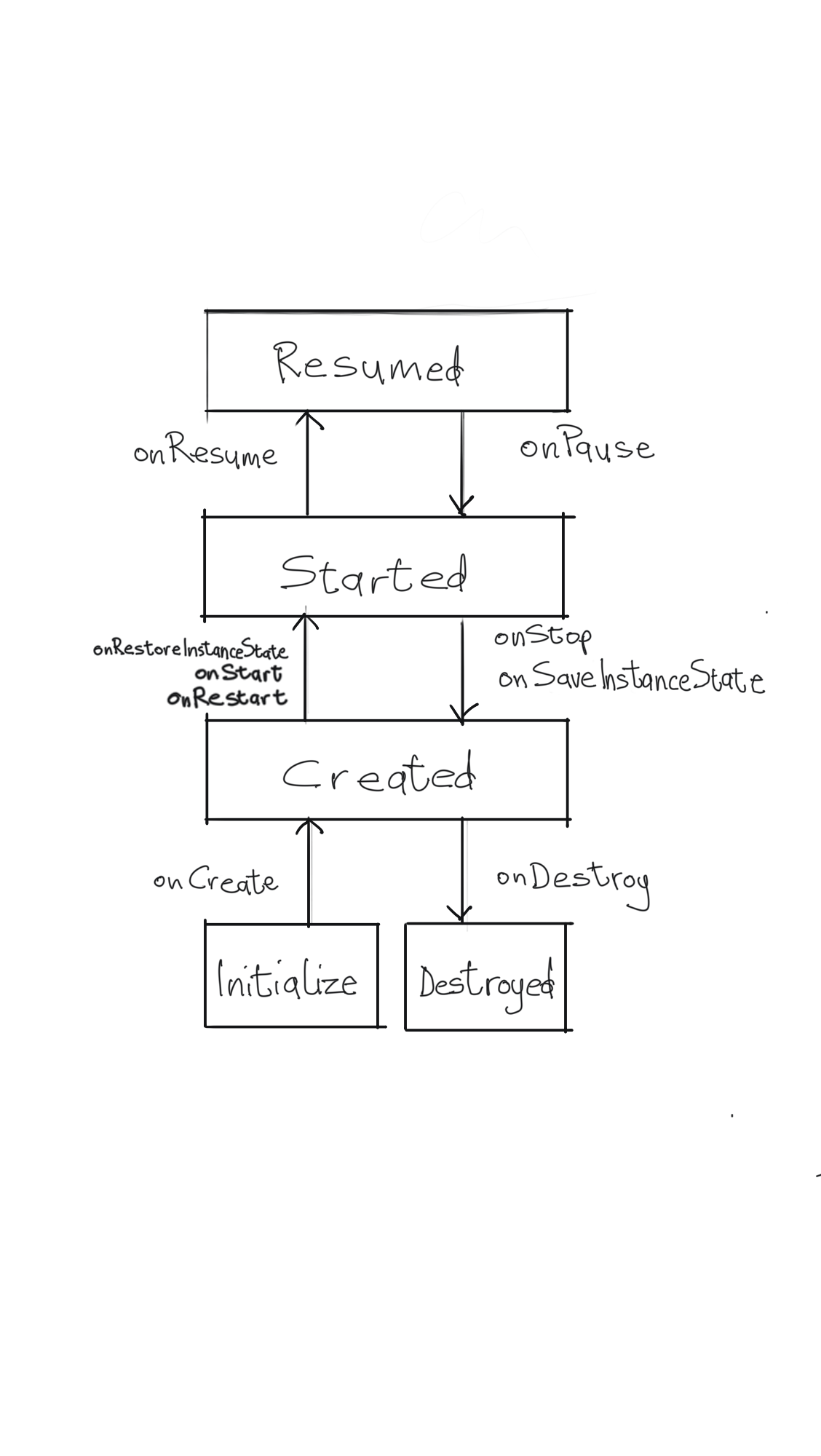
Android applications are peculiar in that they can be interrupted by other apps or services at any time. Because of this peculiarity, your app needs to transition correctly through its lifecycle so that it plays nicely with other apps on the device. An activity transitions through several stages during its lifecycle before it is finally destroyed. Handling these stages appropriately will allow your app to act gracefully when it is opened, interrupted by another app, your user leaves your app, your user returns to your app or when the system need to stop your app to free up memory. The six important callbacks that help you manage an Activity’s lifecycle. These are,
- onPause()
- onStop()
- onDestroy()
- onCreate()
- onStart()
- onResume()